Order History Management
The History module displays all past transactions, supports filtering by date and status, and allows refunds for completed orders.
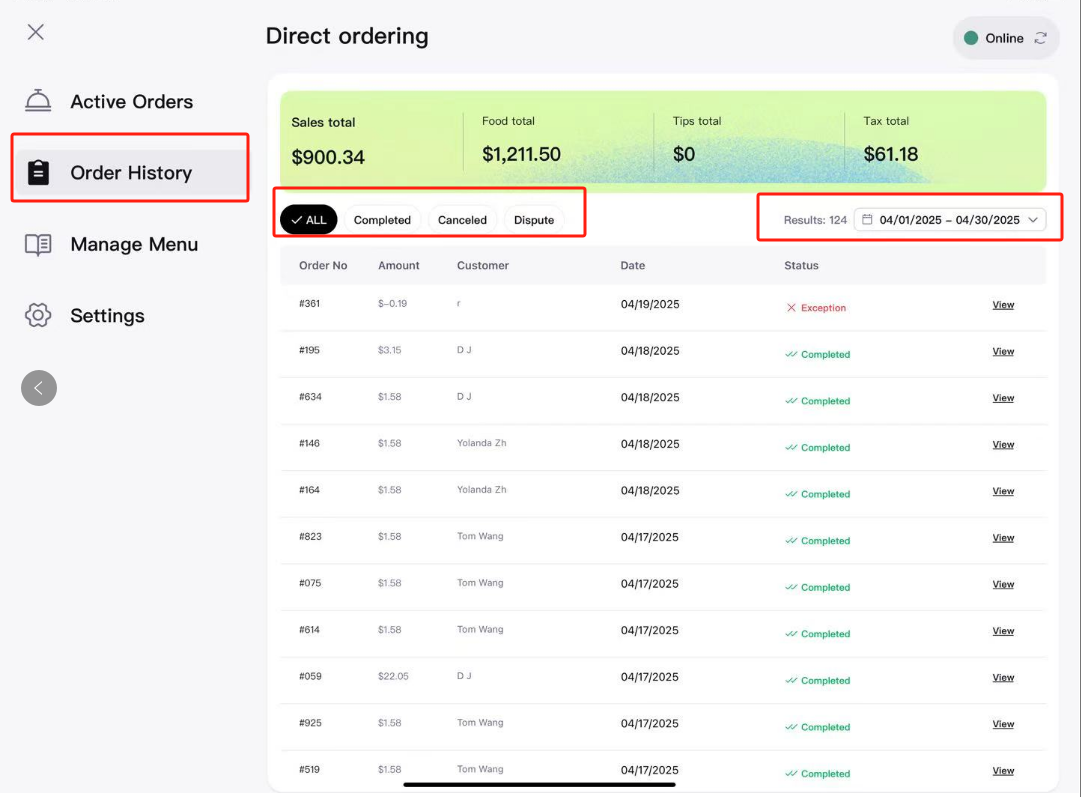
1. View Revenue for Specific Periods
- Navigate to Order History from the sidebar.
- Select the Start Date and End Date in the date picker.
- Click Apply; the system will automatically summarize revenue, order count, tips, and other key metrics for the selected period.
2. Filter Orders by Status
On the Order History page, you can filter orders by ALL /Completed / Canceled / Disputed.
Quick Filter Tips
- Combine date ranges with statuses for queries, such as "Canceled orders from last week."
3. Issue Refunds for Completed Orders
Caution: Refund actions cannot be reversed. Please verify carefully before submission.
- Locate the target order in the Completed list and click View to access the details page.
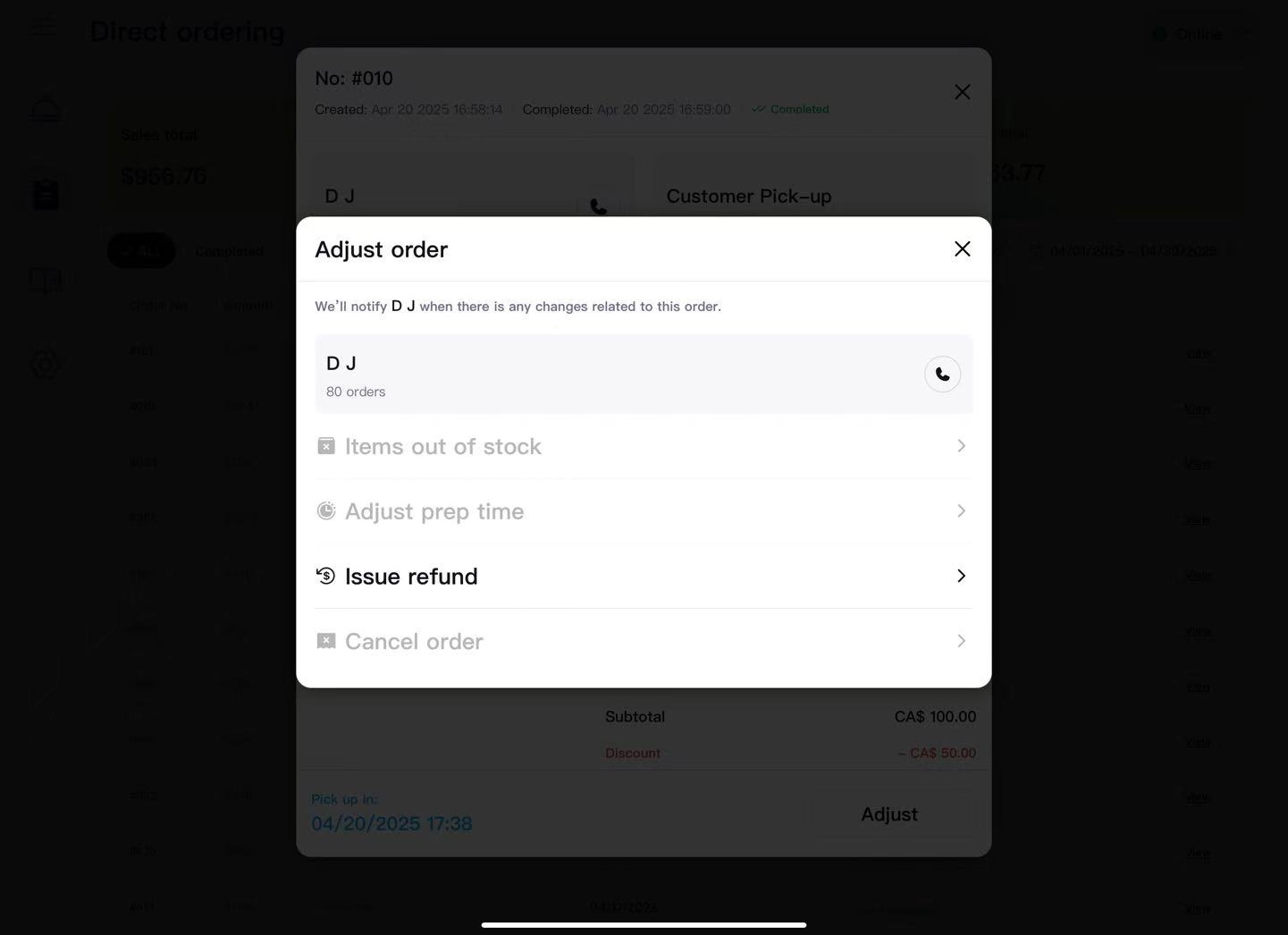
- Click Adjust in the bottom right corner.
- In the popup, select - Issue Refund.
-
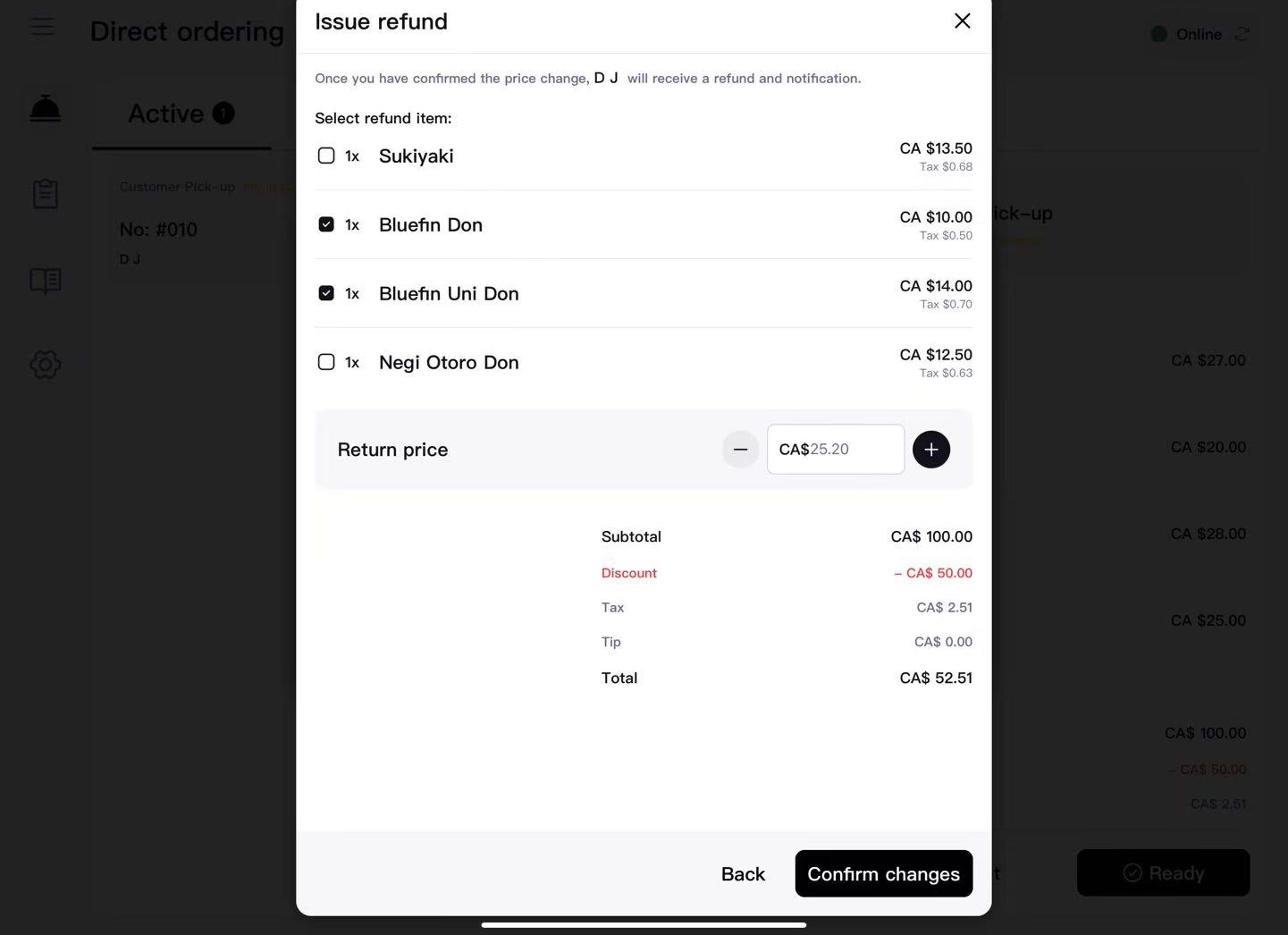
Select the items to refund or enter a custom amount.
-
After verification, click Confirm Changes; the system will immediately process the refund and notify the customer.
Partial Refund Scenarios
- Missing ingredients or drinks
- Insufficient portion size
- Customer compensation for poor experience
Contact Support
For issues such as missing orders or refund errors, please email hello@zomi.menu.